UI Pages Documentation
This reference tours the main screens of Tours by route. Pages are Next.js 16 App Router route segments under src/app/. The product is multi-portal — each area has its own URL prefix, layout and audience:
| Area | URL prefix | Location |
|---|---|---|
| Storefront (public) | /, /tours, /tours/[slug], /booking/… |
src/app/(site)/ |
| Customer portal | /customer/* |
src/app/customer/(app)/ |
| Operator area | /operator/* |
src/app/operator/(app)/ |
| Influencer portal | /influencer/* |
src/app/influencer/(app)/ |
| Admin panel | /admin/* |
src/app/admin/(panel)/ |
Authentication pages (/login, /register, /forgot-password, /reset-password, /verify-email) live in the shared src/app/(auth)/ group.
Every data-fetching page renders a layout-shaped skeleton (from @/components/ui/Skeleton) while loading, so there's no shift when data arrives. All copy is wrapped in t() and the storefront palette comes from the theme tokens (ink-* neutrals, brand-* primary blue) — nothing is hardcoded, since this is a white-label template.
Storefront pages (src/app/(site))
The public marketing + catalog experience. No sign-in required for browsing.
| Page | Route | What it does |
|---|---|---|
| Home | / |
Landing page — hero, featured tours, categories, testimonials |
| Tours | /tours |
Catalog grid with search, category, destination and price filters |
| Tour detail | /tours/[slug] |
A single tour — itinerary, inclusions, departures, operator, reviews, booking |
| Checkout | /booking/checkout |
Choose a departure/travelers and pay (loads the signed-in customer) |
| Booking confirmed | /booking/confirmed |
Post-payment confirmation |
| How it works | /how-it-works |
Explains browsing, booking and travelling |
| Blogs | /blogs |
Blog index and posts |
| Gallery | /gallery |
Media gallery |
| About / Contact / FAQ / Enquiry | /about, /contact, /faq, /enquiry |
CMS + lead-capture pages |
| Careers | /careers |
Careers / jobs page |
| Legal | /privacy-policy, /terms-and-conditions, /cookie-policy, /refund-policy |
Policy pages |
| Custom pages | /[slug] |
CMS-authored pages from Admin → Pages |
Home — /
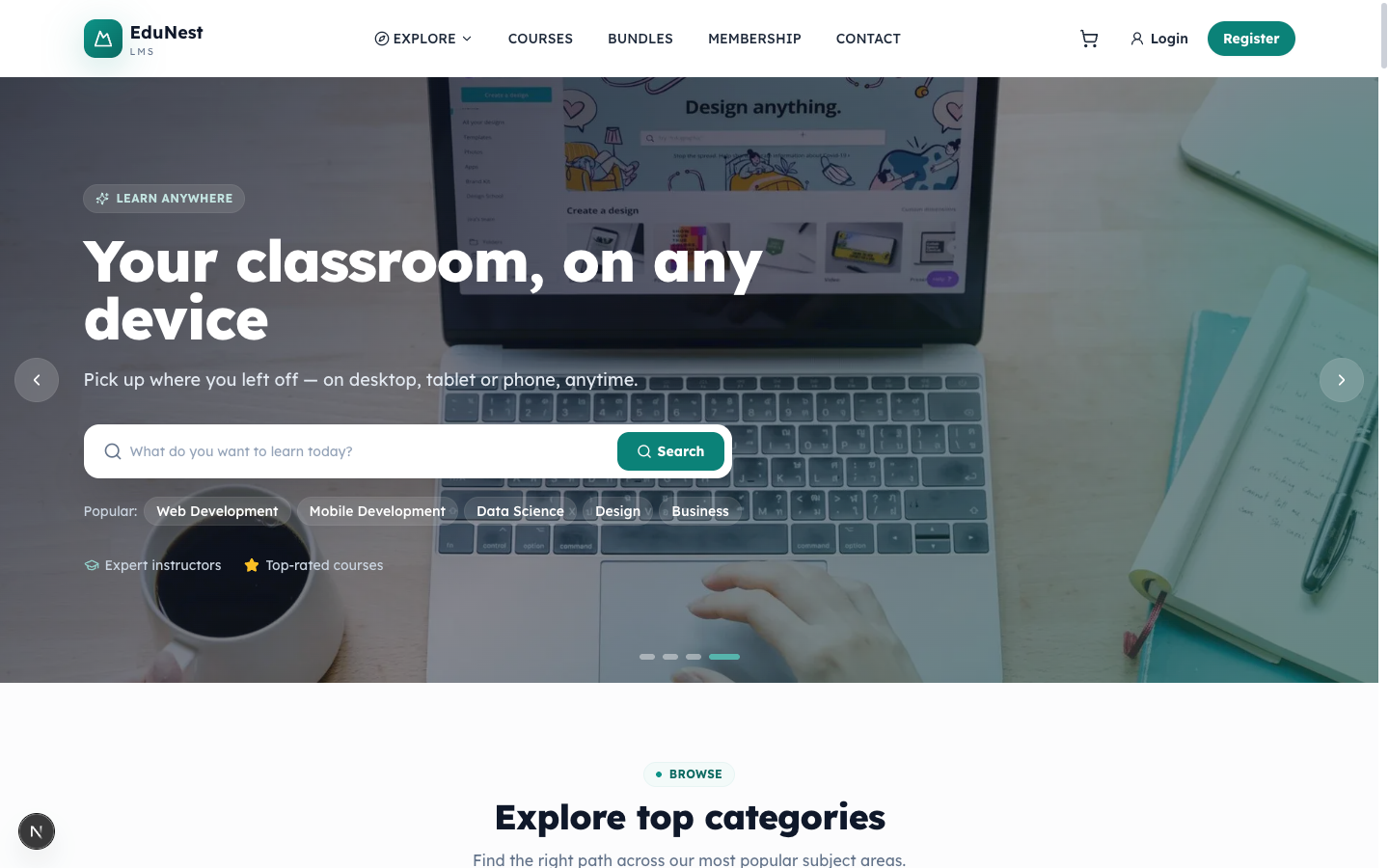
The storefront landing page (src/app/(site)/page.tsx). Composes the hero slider, featured tours, categories, testimonials and CTAs. Public.
Tours — /tours
The catalog grid (src/app/(site)/tours/page.tsx) with search plus category, destination and price filters. Each tour card shows the cover image, title, operator, rating, review count and a "from" price. The same data is available as JSON at GET /api/v1/tours (paginated / sortable / filterable) for the mobile app.

Tour detail — /tours/[slug]
The conversion page for a single tour (src/app/(site)/tours/[slug]/page.tsx). Renders the title, gallery and key facts (group size / travelers, duration), the description, the day-by-day itinerary, what's included (inclusions), the available departures (dated options with per-departure pricing), the operator card, and reviews. The booking widget starts a booking for a chosen departure and party size. Data comes from GET /api/v1/tours/:slug (and /reviews).

Checkout — /booking/checkout
Collects the traveller/contact details and takes payment (src/app/(site)/booking/checkout/page.tsx). Pre-fills from the signed-in customer, lets you apply a coupon code, shows the order summary (subtotal, discount, tax if enabled, total), and presents the payment methods the store has enabled. On success it lands on /booking/confirmed; an offline method (bank transfer) shows a "payment pending" state until an admin confirms it. All totals are recomputed server-side — the client never supplies the amount.
Customer portal (src/app/customer/(app))
The signed-in area for travellers who book tours. /customer redirects to /customer/dashboard; the dashboard redirects to /login when signed out. The portal wraps children in a ToastProvider.
| Page | Route | What it does |
|---|---|---|
| Dashboard | /customer/dashboard |
Overview — upcoming trips, recent bookings and summary cards |
| My Bookings | /customer/bookings |
All bookings with status; open one for its full detail/invoice |
| Messages | /customer/messages |
Chat threads with operators; live updates and unread counts |
| Wishlist | /customer/wishlist |
Saved tours; remove or jump back to the tour |
| Reviews | /customer/reviews |
Reviews to leave for completed trips, and ones you've written |
| Payments | /customer/payments |
Payment history and invoices |
| Notifications | /customer/notifications |
Your activity notifications |
| Support | /customer/support |
Raise and track support requests |
| Settings | /customer/settings |
Profile, password and notification preferences |
Dashboard — /customer/dashboard
The customer landing screen (src/app/customer/(app)/dashboard/page.tsx). Summarizes upcoming and recent bookings with quick links into the rest of the portal.

My Bookings — /customer/bookings
Lists the customer's bookings from the portal API, each opening a detail view with the tour, departure date, travellers, price breakdown and a downloadable invoice.

Operator area (src/app/operator)
The workspace for operators (tour sellers). Non-operators can apply through the Become an operator wizard at /operator/become; each approved operator also has a public profile at /operator/[slug]. The signed-in workspace lives under src/app/operator/(app).
| Page | Route | What it does |
|---|---|---|
| Dashboard | /operator/dashboard |
Headline KPIs — bookings, revenue and pending items |
| Tours | /operator/tours |
Create and manage the operator's tour listings |
| Calendar | /operator/calendar |
Departure availability calendar |
| Reservations | /operator/reservations |
Incoming bookings to confirm / manage |
| Inbox | /operator/inbox |
Messages with customers |
| Payouts | /operator/payouts |
Earnings and payout records |
| Insights | /operator/insights |
Performance analytics |
| Plan & Billing | /operator/billing |
Subscription plan and billing |
| Reviews | /operator/reviews |
Reviews left on the operator's tours |
| Settings | /operator/settings |
Operator profile & preferences |
Dashboard — /operator/dashboard
The operator landing screen (src/app/operator/(app)/dashboard/page.tsx), surfacing the operator's tours and headline metrics with a switch between the customer and operator views.

Tours — /operator/tours
The operator's tour manager (src/app/operator/(app)/tours/page.tsx) — create, edit and publish tour listings, their itineraries, inclusions and departures.

Influencer portal (src/app/influencer/(app))
The area for marketing partners who promote tours for commission.
| Page | Route | What it does |
|---|---|---|
| Dashboard | /influencer/dashboard |
Earnings, clicks and conversions overview |
| Referral Links | /influencer/referral-links |
Generate and manage tracked share links |
| Tours | /influencer/tours |
Browse promotable tours and grab links |
| Bookings | /influencer/bookings |
Bookings attributed to the influencer |
| Commission | /influencer/commission |
Commission earned per booking |
| Payouts | /influencer/payouts |
Payout history and requests |
| Analytics | /influencer/analytics |
Traffic and conversion analytics |
| Marketing Materials | /influencer/marketing-materials |
Share tools and promo assets |
| Notifications | /influencer/notifications |
Activity notifications |
| Settings | /influencer/settings |
Profile & payout details |
Admin panel (src/app/admin/(panel))
The administration console. Requires an admin_token session; write actions are RBAC-gated per route. Pages typically open with a PageHeader and use the admin UI kit. The sidebar is data-driven from src/product/admin-nav.ts.
| Group | Key pages |
|---|---|
| Overview | /admin/dashboard — KPIs + revenue chart |
| Bookings | /admin/calendar, /admin/calendars (availability), /admin/bookings, /admin/customers, /admin/coupons, /admin/extras, /admin/settings/booking |
| Catalog | /admin/tours, /admin/operators, /admin/inclusions, /admin/master-data, /admin/reviews |
| Marketing | /admin/marketing/influencers |
| Leads | /admin/leads/contacts, /admin/leads/enquiries, /admin/leads/newsletter |
| Content (CMS) | /admin/pages, /admin/theme-builder, /admin/hero-slider, /admin/menus, /admin/blogs, /admin/media, /admin/faqs, /admin/gallery, /admin/testimonials, /admin/partners |
| Settings | /admin/settings/* (theme, integrations/add-ons, users/roles/permissions, localization, monetization, plans, backup, …) |
Dashboard — /admin/dashboard
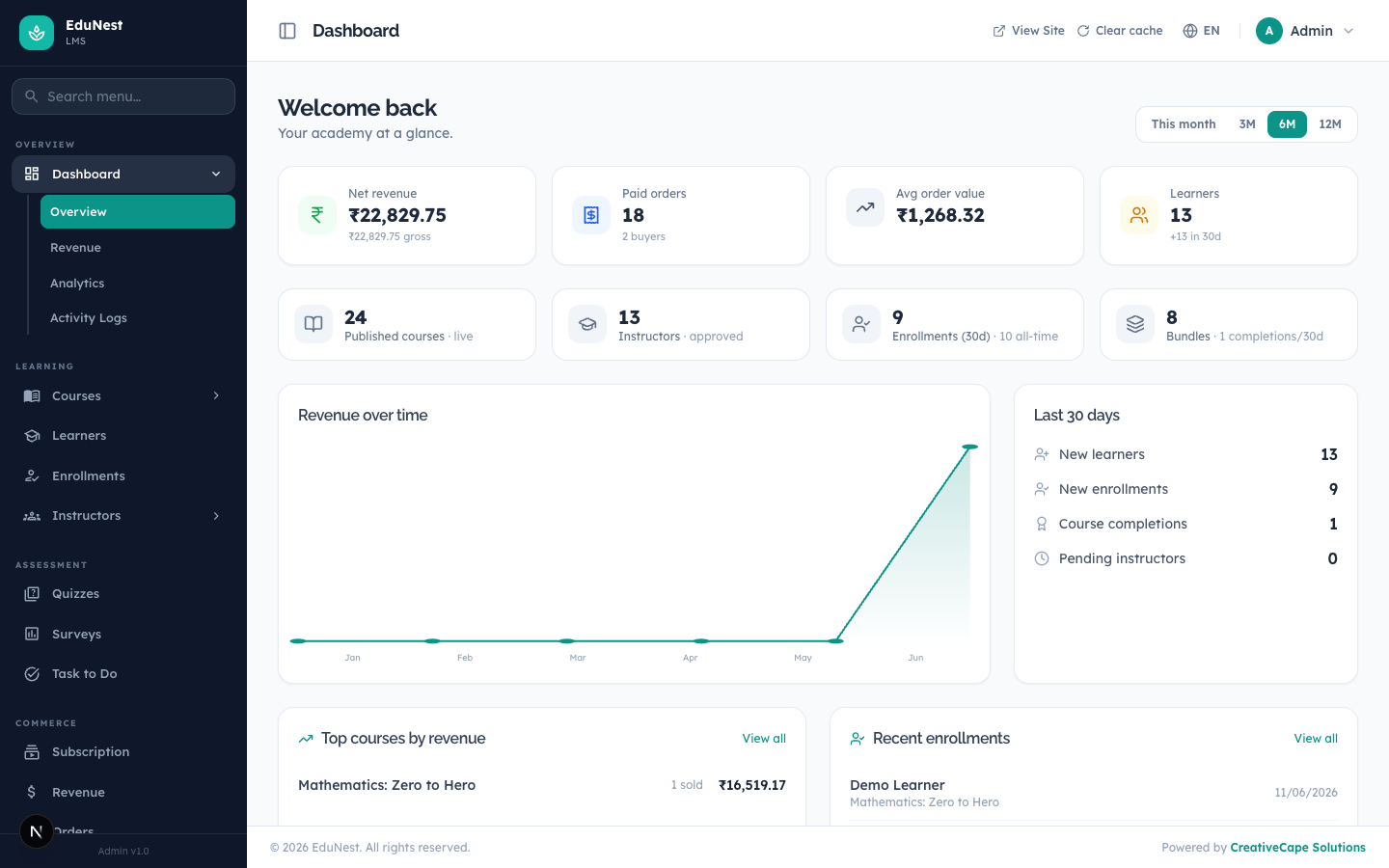
The admin landing screen (src/app/admin/(panel)/dashboard/page.tsx). Shows headline KPIs (revenue, paid bookings, average order value, customers) and a revenue-over-time chart, with lists of top tours, recent bookings and pending operator applications. Data comes from the admin dashboard API.
Tours (admin) — /admin/tours
The catalog management surface (src/app/admin/(panel)/tours/page.tsx). A filterable table of every tour — cover, title, operator, category, price, rating and status — with create/edit and the approval flow for operator-submitted tours (draft → pending → published, or rejected/archived).

Bookings (admin) — /admin/bookings
Booking management (src/app/admin/(panel)/bookings/page.tsx). Summary cards plus a tabbed table by status; each booking opens to show the customer, tour and departure, the pricing breakdown, coupon and payment reference, with Issue refund and Mark as paid actions.

Add-ons & Integrations — /admin/settings/integrations
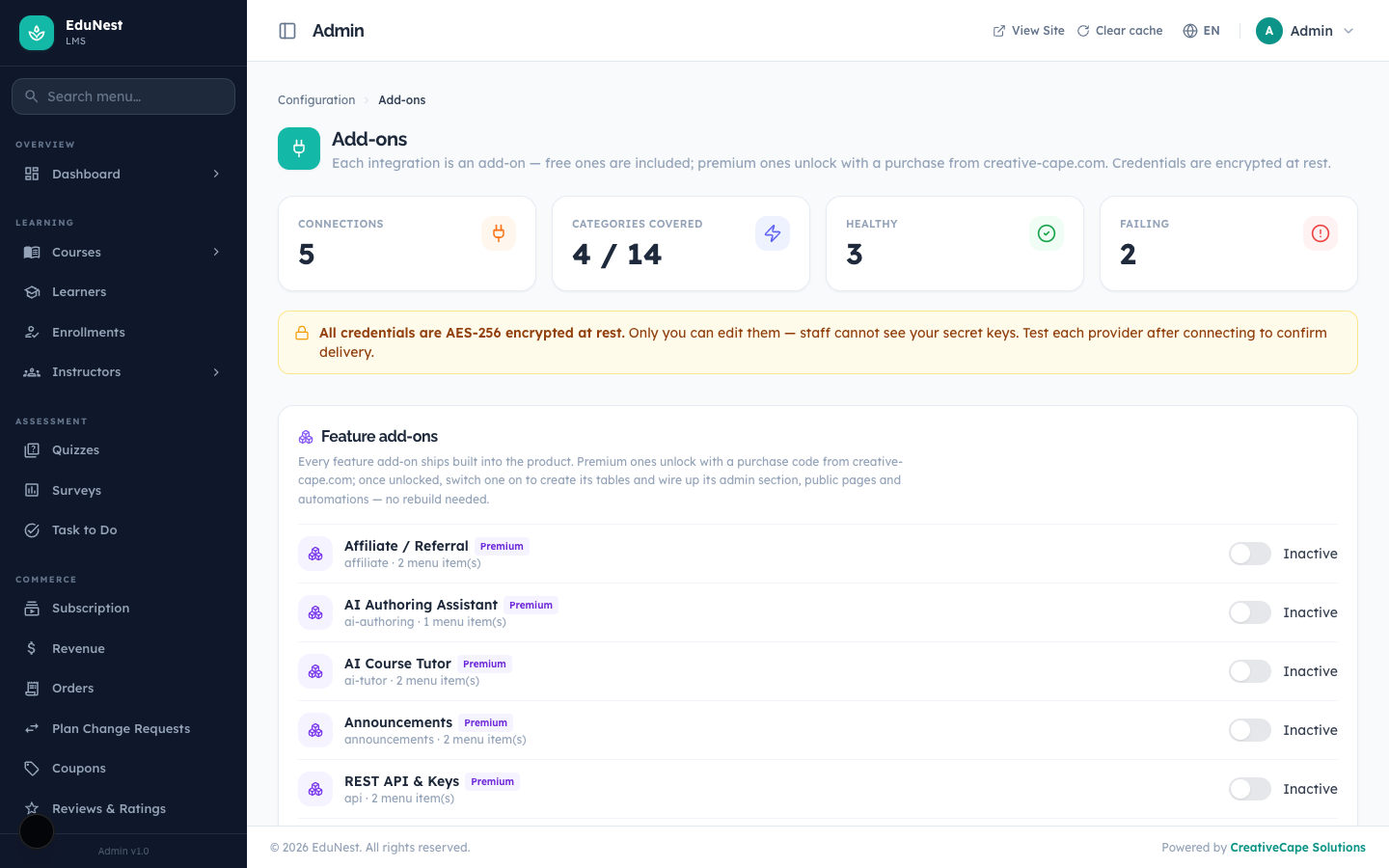
The add-ons screen (src/app/admin/(panel)/settings/integrations/page.tsx) where premium integrations and feature add-ons are unlocked with a purchase code and toggled on. See the Integrations Guide.
Settings — /admin/settings/*
The settings hub. Each section is a route segment under src/app/admin/(panel)/settings/ and reads/writes via its own admin API route: theme (Theme Options / Appearance), booking, payments, currencies, countries, locations, languages, monetization (operator commission/payouts), plans (operator subscription tiers), users, roles, permissions, integrations (add-ons), webhooks, api-tokens, backup, notifications, notification-log, and activity.
© CreativeCape Solutions · creative-cape.com · support@creative-cape.com